

My Writing Creds
I am writing novel #4. Bit of a lie given the finished novels in the digital drawer that I regard as practice. I’ve written over 30 short stories, some published by third parties, many on my short story Substack. I am also a third generation novelist which matters only so much as I remember my father being in his office each weekday morning writing novels that sold well. In short, I got training from both of my parents. I think my mother wrote better prose than my father. My father wrote for a market he knew. Regardless, I had been raised in the world of writers writing for a living wage. Honestly, I make far, far less money writing fiction than I did writing for technical publications, employers, and clients.
At the Westport (CT) Pitch & Publish Conference this spring the panel I was invited to join asked if I were a pantser or plotter (which I heard as “plodder”). It took a while of other people answering the question for me to understand the question. The phrases were new to me. Given I was wearing an ankle-length woolen kilt and a linen shirt, I said to the mic (and the audience): I am a kilter. Yes, I’ve sewn a few kilts. Love making them. I answered honestly. You can not make a kilt without a serious plan, a bit of math, and a lot of folding.
The question has troubled me since. Am I a plotter or pantser? Which matters when discussing Scrivener, a tool designed to help authors through the planning, execution, and production processes. And if you are damn good at technology, you might be able to compile a finished-quality ePub, PDF, or word processing document.
My Writing “Needs”
I come to the desk on each writing day with a plan. I write four-to-five mornings a week. By morning I mean from 0700h to 1200h, my best and most creative hours. Regrettably, I see one of my father’s patterns echoed in my behavior. My plan has been brewing since the prior day. I often start with a quick re-read of yesterday’s chapter, give another think, then start. I then write an entire chapter. My chapters tend to range from 2400 to 4000 words (reading time for me to tape: 15-30 minutes). I prefer first-person present tense, although I occasionally write from a third-person, present-tense, with one character holding the narrative for a chapter. I found that with omniscient third-person, I told a story too quickly and missed hitting emotions hard enough to leave an impact. My expectation for a chapter involve:
Advancing some part of the stories core narrative. Something has to happen, although I’ve written stories where nothing happens. Thanks, Larry David.
Advancing the reader’s understanding of a character
I want to the reader to feel grounded within the context of the setting. To do this, I attempt to hit one or more senses on a page.
I can read my chapter aloud to tape. This arbitrary limit keeps sentences and word choices tight, often bound to Old English/Anglo-Saxon terms. I can pull off a bit of Spanish. Shit, I can do Spanish easier than late 19th Century English. That will tie my tongue and confuse my dyslexic brain. I can write flowery sentences, just can’t read ‘em.
Opus Length
I do have the length of the opus in mind. I have two novellas written and set for the production pipeline. I have three novels hovering at 100K words. The present novel strives for 200K-plus. My short stories range from 2,000 to 4,000 words. I love writing short stories. I love reading good short stories, but I don’t mind being carried away on a nice long adventure either.
The Ending
As suggested by someone in the 1980s, I am to begin with the end in mind. I nearly always do. And yet, the ending is never as planned. I vector towards a little quarter twist at the ending letting the reader explore the work differently. The ending to The Little Ambulance War ties to a beloved song by Ralph McTell called The Streets of London as I explore existential loneliness after a career of public service. That wasn’t in the plan, but landed where it needed to be.
Neither
I suppose I am neither a plotter nor a pantser. I still need a place for notes and plans. I recognized that in the present (work-in-progress) novel, I am calling a character Bethany. In the prior novel, she is Ann. That’s a mistake. Therefore, I need a place to organize:
Characters
Business/Organization Names
Places
Both Plottr and Scrivener do this job well.
I kinda need a score card and progress bar. See! That means I do have a plan. Yes, lovely to see 85,000 word count knowing I am aiming for 200K. That’s not enough though. There are sub-plots and themes I need to ticking along in the narrative.
No Generative Artificial Intelligence
I’ve spent a career in various IT fields. Did me well, paid me well. Regardless of the sexiness, and occasional utility of generative AI in creative arts, I abhor its reliance on theft. I do not want, cannot tolerate having some annoying nit on my screen suggesting that something else/someone else re-write a sentence wherein I placed a typo. Thus, I’ve invested time in 2026 to migration away from Google and Microsoft as core tools. LibreOffice has more features and greater flexibility without some logo that looks all-too-much like the back side of a cat (or star anise). Therefore, no AI in writing tools for me. Neither Scrivener, nor Plottr have tried to push Generative AI on me.
Plottr
I sat in the passenger seat of my truck laying out the new ending for Stolen Mountain somewhere in South Carolina as we drove home to Vermont. I was able to un-mess my ending, add a few twists, humor and a few Easter Eggs using Plottr.
Plottr does help me track characters, settings, and organizations well.
Plottr reminded me of a linear/straight-line version of a Mind Map.
As I finished that novel at my desk, I marked various boxes as “complete” by changing the box color to red(?, I dunno, doesn’t matter). I admired that I could track multiple themes and subplots visually. If I sub-plot didn’t land in the chapter that I expected, I left it in the un-written color. I may have dragged it right through the timeline so I’d pick it up later.
I do not have a great memory, never really have. That’s a curious lie. Trivia? Excellent. Jeopardy-style games, slay. I can surprise myself with my own writing asking: “Oh I wrote that?” with honest surprise. My own writing has caused me to laugh aloud and even cry. Listen to the final chapter of Captain Henry when it comes out in September. You’ll hear me at the knife’s edge of tears. Good tears, though. Loving tears. Therefore I require tools that help me through this rather human frailty of a whacky memory.
In Stolen Mountain, Plottr helped me through that odd stall point in novels. Its like I am barbecuing a beef brisket. There is a long stall at the 85% mark. Suddenly, hours later, you hit 205oF (just under 100C). That’s me. I occasionally need assistance through the stall.
Plottr provides me quick understanding of where I am. Red blocks are done, the others are not. Whether I honored my chapter plan, I can move “beats” from chapter to chapter with a drag-n-drop movement. Should I admit here that I hadn’t ever before used the term “beats” with writing? Frankly, never heard the term associated with writing. I vibed my way through a term that is likely taught in classrooms and seminars about writing. My definition of “beat” is a thing to tap once, like a base on the way back to home plate. (ooh, bbq and baseball maybe it is summer?)
Plottr lets me see “beats” easily.
Scrivener
I bought Scrivener when I hit the stall on ye olde WIP novel. This novel travels further, has more character, and more settings. As mentioned above, I fumbled my way through importing 65K words/22 chapters into Scrivener. Then with Plottr open, I completed character, setting, and organizational profiles, transcribing from one app to another app. I added new characters, new settings, and new organizations as needed for new novel (oddly redundant phrase that: “new novel”).
Scrivener (Scrivy is easier to type) is not intuitive. I’ve been a software designer for most of my career. I have a vision that software ought be slightly intuitive. Each of us knows how to pick up an axe, and with it in our hands, we get a pretty clear vision on how to swing it. Hint: sharp part towards wood and not hands. I can remember keystrokes and commands. Eventually, I’ll catch on to the mentality of the developer/designer. I still spend a lot of time searching how-to related questions.
I was successful at changing “Bethany” to “Ann” throughout the opus (after reading an article.
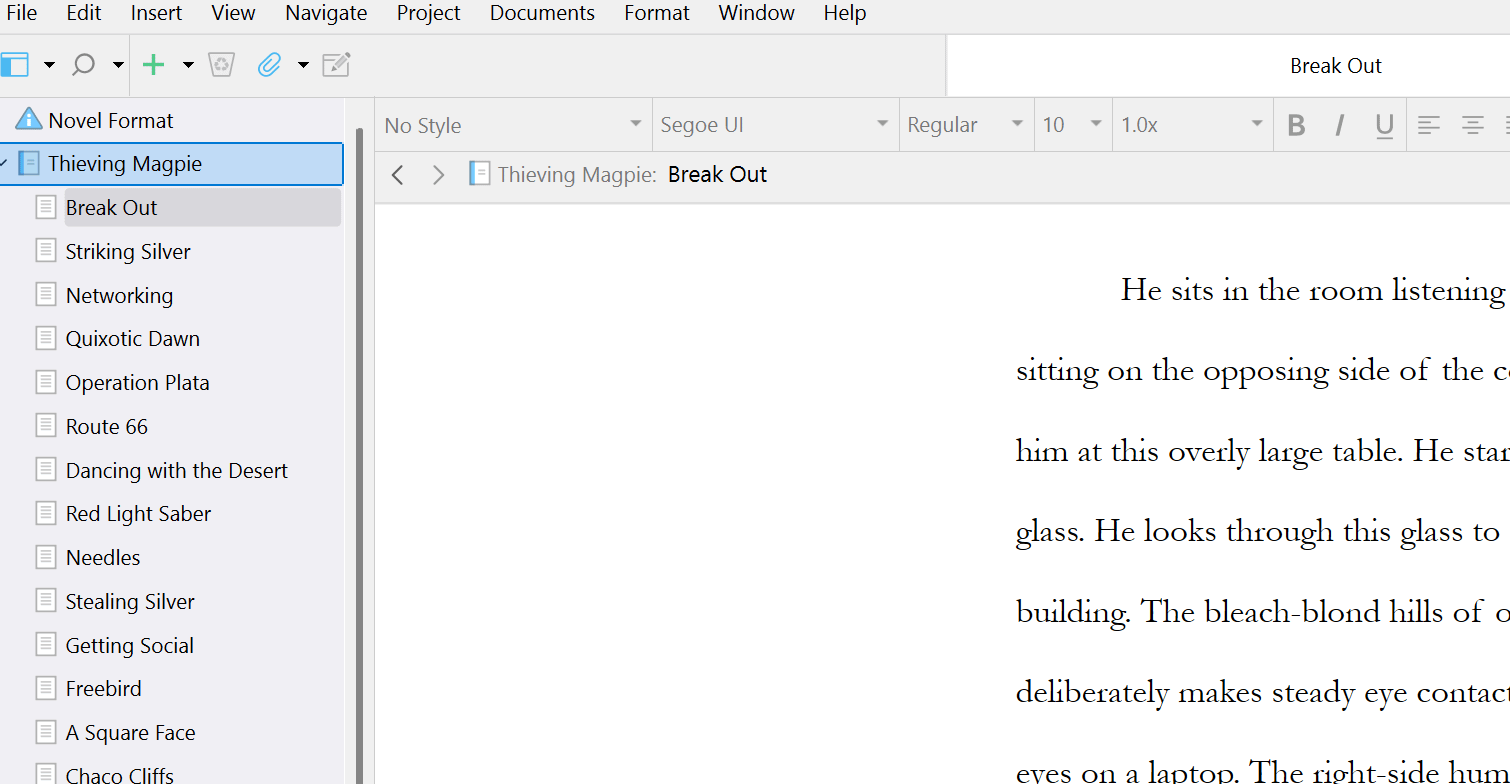
I have decided that Scrivy is not a word processor. I’ve been on word processors for decades, even worked as a technical editor/contributing author on a technical book about WordPerfect. Pretty good at word processing. Scrivy is very like a word processor. Except Scrivy has been built on an architecture akin to WordPress or Wix. The text is stored in database fields (called a “binary large object” or BLOB to the geeks amongst us). I could likely draw an accurate database table diagram for this tool. Each row would have a section for title, synopsis, notes, comments, text, and hidden metadata that tracks times, dates, and the like. Scrivy is a database that allows users to edit text in a word-processor-like windows. I’ll posit that each “object” seen in the navigation panel, there is a corresponding row within the same database table. The data fields allow us to change icons, icon colors, visible titles, and even the type of object an object is. We can change an object from “Chapter Heading” to “Chapter” to “Scene”.
This approach to creating documents is clever. This brings complexity to the drafting process. And for those with experience in word processing, writing while in a database framework lends a bit of confusion. Sorry, writing while in a database framework prompts a steep learning curve. The phrase I read often in other reviews was “steep learning curve.” The steep learning curve comes from the confusion between “I’m a word processor” and “I am a specialized database application that includes some word processing features.”
The learning curve is steep because you are responsible for priming your opus with all of the hidden metadata we never think about while drafting prose. These data points include project name, author’s name, chapter titles, chapter synopses, etc. We’re also responsible to thinking about the final layout of the book. Most of us draft in a 12 point serif typeface with vertical spacing of 1.5 or 2.0 lines. But when when readying for a paperback, we need our internal layout to reflect standard book paper size, text density, margins, all the things. But ePub has different requirements.
In 2026, a word processor lands solidly “grip-it and rip-it” motif of software. I finally understood why, when looking at a block of text in Scrivy, that I could not edit it as I saw it. This is a database report showing me text within a database field. To edit it, I needed to open the database’s editing tool.
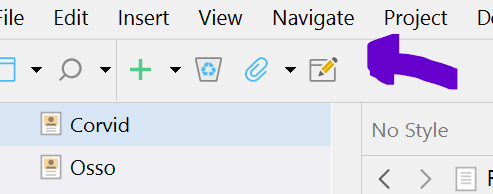
This understanding of Scrivy being a database helped me understand the concept of compiling the opus. Behind the scenes, some database query tool spins through all rows selecting rows identified as something “booky” such as: chapter, front matter. The query lifts the database text one row after another in the order designated. It converts the internal formatting (which may be Rich Text, HTML, or some other markup language), to a formatting process as needed by the next tool: PDF, MS Word, ePub. This is no conversion process that you may witness with a word processor cranking out a PDF. This is a database engine reading text, attaching it the prior text, then looping again to get the next chapter-y thing. It is in fact compiling your text and placing in the final formatting tags in accordance with the standards for each type of output.
Working well with Scrivy requires:
Excellence with word processor style sheets;
Excellence with understanding metadata in all of its odd uses, not just the commonly discussed “book metadata” that prompts books to display correctly for on-line stores;
Understanding how Scrivy’s compile our opus.
Author, you, need to prime the database called Scrivener to create the output you want.
Your excellence in Scrivy will let you go from draft to ePub with one click on File>Compile. The quality will be terrific if you executed every step along the way correctly. I certainly got confused when I imported a novel, then had every chapter heading print twice. It compiled like spaghetti. Then I saw it, I also had the chapter titles in the body text. Scrivy recognized that for chapter names during import, but I failed to find the right knob, box, twiddly-bit that suggested removing the chapter title from the text body. Scrivy did as I asked it to do. Scrivy does as you tell it to, always. Every error in layout is your fault. Keep reading and keep studying, you will get it. The answers exist (that is if the bloody AI variants of answers aren’t from prior versions or stolen from idiots — stick to the manufacturer’s text and check your version number under the help menu).
Benefits
If you are a solo writer responsible for creating ePubs, PDFs and MS Word version of an opus, then Scrivy could be a fine tool for you. Get through the learning curve, understand that the tool is less of a word processor and more of a database application, then you could benefit nicely.
Scrivy is a digital model of writing on index cards, then posting them on a private cork board in your office. Except your index cards can hold infinite length text and has a lot of colored tags, titles, icons, and other data to help you sort the cards on. It is a database where the inventory happens to be text blocks.
Frustrations
Teamwork
I am NOT a solo writer. I am a dyslexic writer who depends on a team of two wonderful editors. I love collaborating with other writers. I have a novella called The Parable of the Ladyslipper due out next year. I collaborated on this opus with a young woman I helped raise. Scrivy runs on one computer for one user. Collaboration requires compiling to a word processing document, then sharing that file via email or thumb drive. I used to do this with OneDrive and MS Word. I stopped, too much interference from Generative AI and too many reasons to suspect that when I store docs on OneDrive, they become part of Microsoft’s Large Language Model (suspicion is not fact). We’ve resorted to more of a sneaker-net topology. Someone has and owns the current draft. We each store copies with dates attached (20260616, etc). Dates written YYYYMMDD sort well alphabetically. Very analogue.
The browser-based version of MS Word does not honor some of the formatting and style sheet settings that the desktop version does. This annoys me because I often have to readjust documents after a collaborator touches it with the browser version. Collaboration killer there too.
In the upcoming novel, my editor gets full credit as a human, just as an editor or folly artist would get at the tail end of a movie.
Working with a team makes me a better writer. Therefore, I’d prefer to optimize my workflow to include others. Additionally, tools that don’t allow collaboration run counter to my endeavors.
Platforms
I formatted my laptop to run Linux. A frustrating decision at times, but my Linux is open source. My word processor, LibreOffice, is open source. With my decades in IT, I’ve lost all confidence that Microsoft respect the ownership of my Windows computer. I believe it is my computer to own, control, and use. Microsoft has been disagreeing for years. I’ve never been an Apple person because I knew from the git, that Apple wanted me as a commodity in their ecosystem. Microsoft has a long history of removing software from my system it doesn’t like. Blah, blah, whine, whine. Linux is less likely to surveil my system, scrape data, submit my data to LLMs without my consent.
Short version: Scrivy does not run on Linux.
My desktop has three monitors, two of standard large office size and one monitor measuring 48” and curved. My 48” monitor is treated by the operating system as two monitors. Scrivy stuggles with shifting between monitors with different pixel density and different scaling. All other applications on my desktop (Windows) computer can do this. Apparently this feature is less an issue with laptops. The snarky “just try ctrl-shift-left arrow” haven’t worked. The even more snarky, “run it on a laptop” falls dead when it won’t work on the Linux laptop.
Dashboard
I miss the at-a-glance features that a lot of applications, especially database applications have. I’d like to know if there is an unfinished chapter, where I left off, what is yet to do. I have super analog means of doing this in a word processor. Both LibreOffice and MS Word offer a table-of-contents like navigation bar. For LibreOffice, main menu > View > Navigator (F5). For MS Word, I use control-H to display the find feature, then click to headings.
When I stop somewhere I drop ### in the text. Super easy to find.
When I have notes on planned chapter/scene, I write it, then format it in red and often courier typeface. Analogue, but clear. Oh, and it is where I need it. I look and write. As I complete the text corresponding to the note, I delete it from the red (planned) text. Scrivy opens an edit box from the application window. If I maximize my text edit window, the synopsis, notes and character data get hidden. I can scale text in my edit window with control-mouse-wheel, and there is a menu item for scaling text. Odd experience to see the text you are editing tiled on top of a copy of the text you are not editing. I wish to yell, can’t I just edit here, all the notes are in tiles near by. If you click on a book object, synopsis, etc, your text window gets set to back.
Franky, I gave up. I type text in LibreOffice, then copy/paste it back. The spell checking is more refined, blah, blah. Even in Scrivy, I use a word processor for writing.
Conclusion
My balance between planning a novel and writing from the “seat of my pants” lands perfectly on the spectrum of human behavior. I need some planning and I seek the freedom to just create without the pressure of thinking I must target this object/beat/narrative. Running from beat to beat feels too formulaic and I miss the humanity within my characters and text.
I am expert at databases and have held global recognition for my work in that field, picture in Forbes and all that (yeah, not under this name). I am expert at word processors. I was trained early on book layout. My mother even did professional book layout after sculpting in metal, then marble, became too taxing on her body.
I am glad that I bought ole Scrivy and Plottr, both. Neither rocked my world. Plottr has more of a mind-map, visual presentation with stronger use of colors and looks a whole lot more like index cards. Scrivener feels like a database application with some pretty good features, some annoying ones, and really pushes the limits of an author’s workflow. Scrivy carries an author from conception to publication. Scrivy is an all-in-one tool while being modest at nearly every key feature.
Scrivener lands on mediocre for laying out the beats of a novel. Scrivener has it all, but not “at-a-glance.” Plottr scores better for its familiar visual approach.
Scrivener lands at mediocre as a word processor. Pretty darn good facsimile given it is a database application. LibreOffice does this better. As mentioned, I use LibreOffice to write, then copy/paste back to Scrivy.
Scrivener lands at mediocre on formatting and layout for book interiors. Affinity is better.
Scrivener lands at mediocre as an ePub tool. Calibre does it better.
I rarely get behind all-in-one tools. I’ve never bought an all-in-one printer/scanner. My preference has been to buy best-in-breed instead. Scrivener feels like the solo author’s version of a Swiss Army knife. A blade that just isn’t very sharp; a toothpick that gathers pocket litter; tweezers that aren’t pointy enough to pull a sliver.
Bottom Line at the Bottom
Authors who write for immediate digital publication and are responsible for every step from conception to production, Scrivener may be a nice tool.
Authors who collaborate from conception to production and thus share work readily, Scrivener may not meet the needs of an author’s team.
I.M. Aiken author & narrator
“Captain Henry: 2 ½ Insurrections, 2 Wars, 1 ¼ Centuries, and a story of Love” (2026)
“Stolen Mountain” (2025)
“The Little Ambulance War of Winchester County” (2024)
“Trowbridge Dispatch” - fictional short stories/podcast
Follow along at: